All-in-one WooCommerce email marketing, automation, SMS, and CRM by Brevo. Grow your store with powerful marketing tools.
★ 3.6/5 (64)30,000+ active installations
- Version
- 4.0.64
- WordPress
- 4.3.1+
- PHP
- 5.6+
- Updated
- 19 Nov 2026
View plugin details ↗
By CreativeMindsSolutions
Search and replace words, phrases, and HTML within your website posts and pages.
★ 4.2/5 (15)2,000+ active installations
- Version
- 1.5.7
- WordPress
- 5.4.0+
- PHP
- 5.2.4+
- Updated
- 13 Oct 2026
View plugin details ↗Regenerate thumbnails quickly and easily, including forced regeneration; very useful when changing a theme or adding new thumbnail sizes.
★ 3.2/5 (59)60,000+ active installations
- Version
- 2.5.0
- WordPress
- 4.0+
- PHP
- 5.6+
- Updated
- 20 Aug 2026
View plugin details ↗Automatically detects a domain name change, and updates all the WordPress tables in the database to reflect this change.
★ 4.3/5 (29)10,000+ active installations
- Version
- 3.0.1
- WordPress
- 5.0+
- PHP
- 7.4+
- Updated
- 8 May 2026
View plugin details ↗YAHMAN Add-ons has Multiple functions.
★ 5.0/5 (2)1,000+ active installations
- Version
- 0.9.31
- WordPress
- 4.9.8+
- PHP
- 5.4+
- Updated
- 6 Sep 2026
View plugin details ↗Embed YouTube content on your WordPress site. Easily embed a YouTube channel, shorts, gallery, feed, or live on your website.
★ 5.0/5 (9)1,000+ active installations
- Version
- 1.4.3
- WordPress
- 5.0+
- Updated
- 12 Oct 2026
View plugin details ↗Become the brand AI recommends. SEO + AEO + GEO so your WordPress ranks on Google and gets cited by ChatGPT, Perplexity, Gemini & AI Overviews.
★ 4.6/5 (683)30,000+ active installations
- Version
- 14.2.12
- WordPress
- 5.3+
- PHP
- 7.0+
- Updated
- 20 Nov 2026
View plugin details ↗Display Google Business Profile reviews in a fast slider, carousel, or grid with a summary badge. Stored locally; works with service area businesses.
★ 4.9/5 (373)30,000+ active installations
- Version
- 18.13
- WordPress
- 3.0.1+
- Updated
- 23 Nov 2026
View plugin details ↗The FAQ Manager plugin lets you create & manage FAQs in an accordion style. Use this WordPress FAQ plugin to group and display FAQs with ease.
★ 3.8/5 (4)2,000+ active installations
- Version
- 1.5.6
- WordPress
- 5.0+
- Updated
- 3 Sep 2026
View plugin details ↗The #1 secure WordPress MCP server for connecting Claude, ChatGPT, & AI agents (MCP Clients) with 400+ tools for WooCommerce, SEO, Elementor, audi …
★ 5.0/5 (11)10,000+ active installations
- Version
- 1.5.9
- WordPress
- 6.9+
- PHP
- 7.4+
- Updated
- 20 Nov 2026
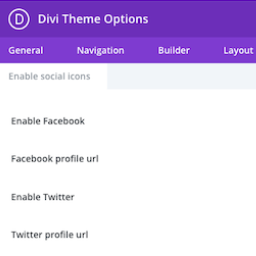
View plugin details ↗This plugin adds the ability to add more social icons to your website when using the Divi theme.
★ 5.0/5 (4)1,000+ active installations
- Version
- 1.8.1
- WordPress
- 5.1+
- PHP
- 5.4+
- Updated
- 7 May 2026
View plugin details ↗Fade and slide in your blocks with style as they enter into the user's view.
★ 4.5/5 (2)1,000+ active installations
- Version
- 1.2.4
- WordPress
- 5.9+
- PHP
- 7.0+
- Updated
- 17 Aug 2026
View plugin details ↗