

Group core blocks into containers or repeaters to create layouts like grid, carousel, popup, accordion all in the Block Editor. Fast. Easy.
★ 5.0/5 (14)1,000+ active installations
- Version
- 2.8.15
- WordPress
- 6.9+
- PHP
- 8.0+
- Updated
- 12 Oct 2026
WORDPRESS RESOURCES
Explore public plugin information from the official WordPress.org directory. Compare what a plugin does, its requirements and update history before adding it to your website.
Explore WordPress hosting →2,007 matching plugins reported by WordPress.org · Page 2 of 50
Source: WordPress.org
Data refreshed 20 Nov 2026 11:57 UTC
Group core blocks into containers or repeaters to create layouts like grid, carousel, popup, accordion all in the Block Editor. Fast. Easy.
Add Parallax scrolling effects in any section of your website.

By jiteshgondaliya
Scroll text horizontally or vertically with tickers, a classic widget, shortcode, block, templates, analytics, and accessible CSS animations.
By Md. Shahinur Islam
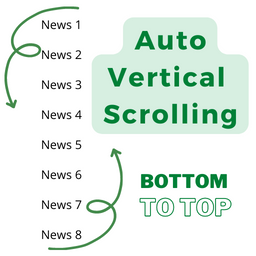
Post Auto Vertical Scrolling plugins bottom to top. Simple but flexible.
Webyx for Gutenberg it's a simple way to create amazing fullpage full screen scrollable websites in WordPress with Gutenberg editor.
Elementor addon: 120+ widgets & templates — Elementor Gallery, Mega Menu, Slider, Form, Post Grid, Accordion, Header Footer Builder & WooCommerce.
Duplicate post, post order, image resize, email via SMTP, admin menu editor, custom css / code, disable gutenberg and much more in a single plugin.

By malihu
Create links that scroll the page smoothly to any id within the document.

By WPDeveloper
Add a customizable, SEO-friendly Table of Contents block to WordPress posts & pages — auto-generated from your headings in the Block Editor.
Webyx for Elementor is a simple way to create amazing fullpage full screen scrollable websites in WordPress with Elementor builder.

By SoftHopper
Style the page scrollbar and add scrollable content areas with a block or shortcode. 26 themes, custom colors, and a no-JavaScript native mode.
Lightweight image/video background & content slider for block and classic editor.
CHOOSE WHAT YOUR WEBSITE NEEDS
Start with the task you need to solve. Compare features, WordPress and PHP requirements, update history and the author’s documentation. Test changes on a private copy and avoid adding several plugins for the same job.
This independent directory displays plugin information on WebFulHost and links to the official source. Packages are not mirrored or installed here. A plugin can include paid extensions or services with separate terms from its author.





