Count post views accurately via REST API with customizable display. Lightweight, fast, and extensible. Includes shortcode with multiple layouts.
★ 5.0/5 (3)60+ active installations
- Version
- 2.0.7
- WordPress
- 6.9+
- PHP
- 7.4+
- Updated
- 23 Nov 2026
View plugin details ↗Professional hotel room booking: rate plans, realtime availability, overbooking-safe holds, and modern payments.
0+ active installations
- Version
- 1.6.0
- WordPress
- 6.4+
- PHP
- 8.2+
- Updated
- 12 Oct 2026
View plugin details ↗WP Instagram is a elementor addons, visual composer addons, WordPress Default widgets and Ready Shortcode for WordPress.
600+ active installations
- Version
- 1.3.1
- WordPress
- 5.0+
- Updated
- 10 Aug 2026
View plugin details ↗WooCommerce product layout plugin: 12+ layouts, side cart drawer, express checkout, wishlist & cart analytics, product compare, quick view, shop p …
★ 5.0/5 (1)80+ active installations
- Version
- 2.7.0
- WordPress
- 5.9+
- PHP
- 7.2+
- Updated
- 21 Nov 2026
View plugin details ↗Connect WooCommerce with multiple ERPs/CRMs at once. Instant product sync via webhooks. Products, clients, orders. EU VAT and Verifactu.
★ 4.6/5 (10)900+ active installations
- Version
- 3.5.1
- WordPress
- 6.3+
- PHP
- 7.4+
- Updated
- 25 Nov 2026
View plugin details ↗Free. Use geo blocking to block or allow countries, with Cloudflare or a free local GeoIP database and Test Mode to check your rules.
★ 5.0/5 (2)400+ active installations
- Version
- 1.0.6
- WordPress
- 6.0+
- PHP
- 7.4+
- Updated
- 9 Nov 2026
View plugin details ↗Stop spam without CAPTCHAs. Proof-of-Work protection for your forms and logins. Open-source, self-hosted, privacy-first.
★ 5.0/5 (5)800+ active installations
- Version
- 1.30.3
- WordPress
- 5.6+
- PHP
- 8.0+
- Updated
- 13 Nov 2026
View plugin details ↗Add responsive Yandex Maps to WordPress with a Gutenberg block, custom markers, clustering and live preview.
★ 4.5/5 (2)300+ active installations
- Version
- 2.0.1
- WordPress
- 6.6+
- PHP
- 7.4+
- Updated
- 29 Oct 2026
View plugin details ↗Show latest and seasonal WooCommerce products and add lightweight catalog filters.
0+ active installations
- Version
- 1.0.24
- WordPress
- 6.4+
- PHP
- 7.4+
- Updated
- 28 Oct 2026
View plugin details ↗Standalone WordPress security: local WAF, TOTP 2FA, malware scanner, hardening, live traffic, and an optional Enterprise API.
0+ active installations
- Version
- 1.4.0
- WordPress
- 6.8+
- PHP
- 8.2+
- Updated
- 12 Nov 2026
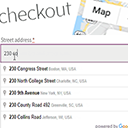
View plugin details ↗Improve your WooCommerce checkout flow with Google Places address autocomplete, geocoding, and location picker tools. Supports Classic Checkout and Ch …
★ 4.5/5 (11)1,000+ active installations
- Version
- 1.2.2
- WordPress
- 4.5+
- PHP
- 5.6+
- Updated
- 27 Nov 2025
View plugin details ↗Fast REST API live search with optional FULLTEXT index, Meilisearch, AI-powered Related Posts, slash commands, ACF and WooCommerce support.
★ 5.0/5 (7)100+ active installations
- Version
- 2.0.2
- WordPress
- 6.9+
- PHP
- 7.4+
- Updated
- 23 Nov 2026
View plugin details ↗