

Enable dark mode on WordPress without any coding. Improve site accessibility with a stunning dark theme that improves conversion.
★ 4.5/5 (391)20,000+ active installations
- Version
- 5.3.21
- WordPress
- 5.2+
- PHP
- 5.6+
- Updated
- 28 Oct 2026
WORDPRESS RESOURCES
Explore public plugin information from the official WordPress.org directory. Compare what a plugin does, its requirements and update history before adding it to your website.
Explore WordPress hosting →1,446 matching plugins reported by WordPress.org · Page 24 of 50
Source: WordPress.org
Data refreshed 24 Nov 2026 08:56 UTC
Enable dark mode on WordPress without any coding. Improve site accessibility with a stunning dark theme that improves conversion.

By PixelParade
Intelligently purges CPT archives, taxonomies, and page-builder hub pages when content changes in Breeze Cache.

By Stefano Picco
Copy&Paste Cleaner. Cleanup the code in post and page editor after using copy&paste content from different sources.
Best WordPress interactive image map plugin to create responsive SVG maps, floor plans, soundboards, shoppable lookbooks with hotspots & audio guides

By Brainstorm Force
Custom Fonts is a powerful WordPress plugin that allows you to upload your own custom fonts or choose from a vast collection of Google Fonts, all host …

By laolaweb
Import and display your positions from Personio directly on your website. Get full control over how they are displayed.

WordPress MCP server for Claude and ChatGPT with limited access, a pause switch, read-only mode, drafts you approve, playbooks and an audit log.
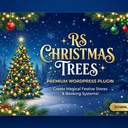
Decorate your WordPress site with festive Christmas trees, holiday garlands, festive header & footer banners, and animated falling snow effects.

By JPA Software
Auto-translate posts & pages for Polylang & WPML with DeepL, Google, Microsoft, OpenAI or DeepSeek. Free up to 3M characters a month.

By SoftHopper
Style the page scrollbar and add scrollable content areas with a block or shortcode. 26 themes, custom colors, and a no-JavaScript native mode.
Create responsive FAQs with accordion, tabs, and slider layouts. Includes FAQ Schema markup, Gutenberg blocks, and Elementor widgets.
Show finished projects as case studies with client, dates, value and project links in a grid, slider or list. No coding needed.
CHOOSE WHAT YOUR WEBSITE NEEDS
Start with the task you need to solve. Compare features, WordPress and PHP requirements, update history and the author’s documentation. Test changes on a private copy and avoid adding several plugins for the same job.
This independent directory displays plugin information on WebFulHost and links to the official source. Packages are not mirrored or installed here. A plugin can include paid extensions or services with separate terms from its author.


