Custom Add to Cart Button Label and Link for WooCommerce is the ultimate plugin to personalize your WooCommerce store's add to cart experience.
★ 4.6/5 (27)2,000+ active installations
- Version
- 2.0
- WordPress
- 6.9.4+
- PHP
- 8.1+
- Updated
- 23 May 2026
WORDPRESS RESOURCES
Explore public plugin information from the official WordPress.org directory. Compare what a plugin does, its requirements and update history before adding it to your website.
Explore WordPress hosting →6,301 matching plugins reported by WordPress.org · Page 25 of 50
Source: WordPress.org
Data refreshed 29 Nov 2026 00:12 UTC
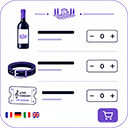
Custom Add to Cart Button Label and Link for WooCommerce is the ultimate plugin to personalize your WooCommerce store's add to cart experience.
By pay4all
Sell products, services, events, courses and meals with a complete order form, Stripe, myPOS & TWINT payments, delivery, pickup and more.

By levelfourdevelopment
Run your whole shop from your WordPress site: products, checkout, orders, shipping and tax, with Stripe, Square and PayPal built in.

Display your WooCommerce products in a responsive Product Slider, Product Carousel, or Product Grid Gallery with easy customization.

By Softound Solutions
Write the custom stock status with different colors for each woocommerce product, to show in product details and listing pages.

By WPClever
WPC Badge Management is a powerful plugin that simplifies badge management in online shops.
Trustami plugin for WooCommerce. Trustami - One badge for all your customer reviews. Trustami collects, analyzes and presents a users' distribute …

By silverplugins217
Size Chart Product For Woocommerce helps you to customize and design the size chart.

By Ramon Ahnert
Set the WooCommerce Shop only for logged-in users. Just activate the plugin.
Self-hosted heatmaps, funnels and Smart Insights for WordPress and WooCommerce. Data on your server. All of Pro free 6 months, 1 site, no card.

By codepeople
Audio player for WooCommerce products with Dokan & WCFM Marketplace support, plus AI-generated skins.

By Kushang Tailor
Create attractive WooCommerce product category sections with flexible layouts, editor-friendly controls, and styling options that fit your store.
CHOOSE WHAT YOUR WEBSITE NEEDS
Start with the task you need to solve. Compare features, WordPress and PHP requirements, update history and the author’s documentation. Test changes on a private copy and avoid adding several plugins for the same job.
This independent directory displays plugin information on WebFulHost and links to the official source. Packages are not mirrored or installed here. A plugin can include paid extensions or services with separate terms from its author.