Introducing The Most Advanced and Intuitive WordPress plug-in to build Progressive Web Apps & Accelerated Mobile Pages for content websites.
★ 3.8/5 (11)40+ active installations
- Version
- 3.0.8
- WordPress
- 5.3+
- PHP
- 5.6+
- Updated
- 27 Oct 2026
View plugin details ↗Smart WordPress security with hardening, malware scanning, login defense, Live Watch, persistence monitoring, WooCommerce protection and recovery.
★ 5.0/5 (1)70+ active installations
- Version
- 4.8.1
- WordPress
- 6.0+
- PHP
- 7.4+
- Updated
- 31 Oct 2026
View plugin details ↗Self-hosted heatmaps, funnels and Smart Insights for WordPress and WooCommerce. Data on your server. All of Pro free 6 months, 1 site, no card.
★ 5.0/5 (6)2,000+ active installations
- Version
- 1.11.1
- WordPress
- 5.8+
- PHP
- 7.4+
- Updated
- 20 Nov 2026
View plugin details ↗Woo Ajax Cart Count plugin allow you to show cart total any where in website, by simply place a shortcode.
★ 5.0/5 (3)200+ active installations
- Version
- 1.4.2
- WordPress
- 3.2+
- Updated
- 1 Jul 2025
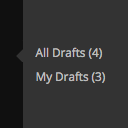
View plugin details ↗Adds links to 'All Drafts' and 'My Drafts' under Posts, Pages, and other custom post type sections in the admin menu.
★ 5.0/5 (7)400+ active installations
- Version
- 2.4
- WordPress
- 4.6+
- Updated
- 14 Apr 2025
View plugin details ↗No unsafe-inline helps you to build a Content Security Policy avoiding to use 'unsafe-inline' and 'unsafe-hashes'.
★ 5.0/5 (5)200+ active installations
- Version
- 1.3.0
- WordPress
- 5.9+
- PHP
- 7.4+
- Updated
- 4 Dec 2025
View plugin details ↗Create responsive logo sliders, carousels, and showcases for client logos, brands, partners, sponsors, and project pages.
★ 3.0/5 (2)100+ active installations
- Version
- 2.0.0
- WordPress
- 5.8+
- PHP
- 7.4+
- Updated
- 29 Sep 2026
View plugin details ↗A collection of distinctive Gutenberg blocks, committed to making your site shine like a newborn star.
800+ active installations
- Version
- 2.7.2
- WordPress
- 7.0+
- PHP
- 7.4+
- Updated
- 28 Sep 2026
View plugin details ↗Enhance WooCommerce by displaying total prices in words, improving clarity and accessibility for customers.
★ 5.0/5 (1)10+ active installations
- Version
- 1.2.5
- WordPress
- 5.2+
- PHP
- 7.4+
- Updated
- 23 Jun 2026
View plugin details ↗Allows post authors to easily add and manage footnotes in posts.
★ 5.0/5 (5)100+ active installations
- Version
- 4.4.0
- WordPress
- 6.0+
- PHP
- 7.4+
- Updated
- 29 Sep 2026
View plugin details ↗Extends the core/file block to optionally insert a PDF preview image (generated by WordPress) before the file block and adds linking/lightbox options.
★ 5.0/5 (1)10+ active installations
- Version
- 1.2.3
- WordPress
- 6.9+
- PHP
- 8.0+
- Updated
- 27 Oct 2026
View plugin details ↗Help customers preview artwork on their walls before buying with a lightweight, builder-friendly room visualization tool.
★ 5.0/5 (1)30+ active installations
- Version
- 3.0.5
- WordPress
- 5.0+
- PHP
- 7.4+
- Updated
- 19 Oct 2026
View plugin details ↗