Build powerful custom forms with drag and drop. Saved entries, dashboard, signatures, Mailchimp, webhooks, and modern spam protection.
★ 3.5/5 (171)6,000+ active installations
- Version
- 7.20.0
- WordPress
- 5.0+
- PHP
- 7.4+
- Updated
- 3 Nov 2026
View plugin details ↗Build membership sites with tiered plans, content restriction, drag-&-drop custom registration & login form builder, and built-in payment system.
★ 4.8/5 (833)50,000+ active installations
- Version
- 5.3.2
- WordPress
- 5.5+
- PHP
- 7.4+
- Updated
- 6 Nov 2026
View plugin details ↗Provides Action Network (actionnetwork.org) action embed codes as shortcodes and a calendar and signup widget
★ 5.0/5 (2)400+ active installations
- Version
- 1.9.0
- WordPress
- 4.6+
- Updated
- 9 Oct 2026
View plugin details ↗Build contact forms, lead capture forms, and multi-step forms in WordPress — with email automation, conditional logic, and spam protection built in.
★ 5.0/5 (7)200+ active installations
- Version
- 3.3.0
- WordPress
- 5.6+
- PHP
- 7.0+
- Updated
- 27 Oct 2026
View plugin details ↗Website hacked? Free malware removal and auto cleanup on every site you run, plus vulnerability alerts, firewall and 2FA. Same setup everywhere.
★ 5.0/5 (3)100+ active installations
- Version
- 1.7.0
- WordPress
- 6.2+
- PHP
- 7.4+
- Updated
- 13 Nov 2026
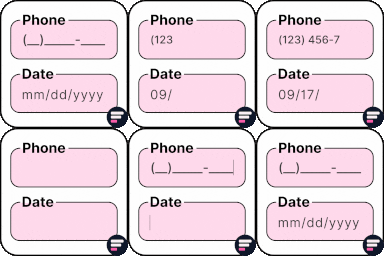
View plugin details ↗Apply input masks in Elementor form widget fields - phone, date, time, credit card, CPF, CNPJ, CEP & more for valid and error-free entries.
★ 4.5/5 (24)10,000+ active installations
- Version
- 4.4.5
- WordPress
- 5.0+
- PHP
- 7.2+
- Updated
- 1 Sep 2026
View plugin details ↗Spam protection for WordPress registration, login, comments, and contact forms.
★ 4.3/5 (4)3,000+ active installations
- Version
- 1.2
- Updated
- 18 Nov 2026
View plugin details ↗Sell digital & physical products with StoreEngine—a lightweight eCommerce solution with memberships, subscriptions, affiliates, coupons & licensing.
★ 5.0/5 (17)700+ active installations
- Version
- 2.7.2
- WordPress
- 6.8+
- PHP
- 7.4+
- Updated
- 17 Nov 2026
View plugin details ↗A complete help desk in WordPress: unlimited tickets and agents, a customer portal, AI reply help, and 12 features that used to be paid.
★ 3.7/5 (74)7,000+ active installations
- Version
- 5.0.8
- WordPress
- 5.5+
- PHP
- 7.4+
- Updated
- 18 Nov 2026
View plugin details ↗Build fast and powerful contact forms in WordPress with an intuitive drag-and-drop builder packed with smart features.
100,000+ active installations
- Version
- 1.1.3
- WordPress
- 5.0+
- Updated
- 13 Nov 2026
View plugin details ↗The Intelligent and Easy Form Plugin. Drag & Drop form builder to help create simple to complex forms for any purpose with just a few clicks.
★ 5.0/5 (2)80+ active installations
- Version
- 1.6.4
- WordPress
- 6.0+
- PHP
- 8.2+
- Updated
- 23 Oct 2026
View plugin details ↗WordPress form builder to create lightweight contact forms, survey forms, feedback forms, booking forms, etc., right inside the block editor.
★ 4.5/5 (11)20,000+ active installations
- Version
- 2.2.0
- WordPress
- 6.5+
- PHP
- 5.6+
- Updated
- 11 Nov 2026
View plugin details ↗