

Quick Buy Now Button for WooCommerce
By Tanvirul Haque
WooCommerce Buy Now Button makes your customers' checkout process easier and faster.
★ 5.0/5 (10)50,000+ active installations
- Version
- 1.2.0
- WordPress
- 4.8+
- PHP
- 7.4+
- Updated
- 7 Nov 2026
WORDPRESS RESOURCES
Explore public plugin information from the official WordPress.org directory. Compare what a plugin does, its requirements and update history before adding it to your website.
Explore WordPress hosting →850 matching plugins reported by WordPress.org · Page 5 of 50
Source: WordPress.org
Data refreshed 20 Nov 2026 20:42 UTC
By Tanvirul Haque
WooCommerce Buy Now Button makes your customers' checkout process easier and faster.

By Jeremy B. Shapiro
Short Code to grab any URL parameter from the Query String and display it or display conditional content.
WordPress contact form builder to create forms like contact form, booking form, feedback form, survey form, application form & 44+ form templates.

By Automattic
Create beautiful and engaging online courses, lessons, and quizzes.

By Kickflip Support
Give your customers a premium way to personalize your products.
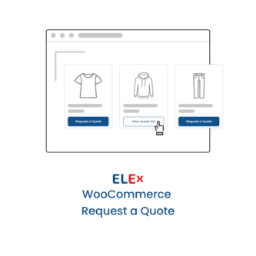
By ELEXtensions
ELEX Request a Quote plugin allows your customers to add products to a quote list, fill out a form, and request a custom price.

By Md Aminur Islam
Redirect users to any URL after login or logout with per-role rules, a searchable audit log, live session management, and email notifications.

By Stefano
Easily handle authors' payments on a multi-author blog by computing posts' remuneration basing on admin defined rules.

By AcyMailing Newsletter Team
Boost audience engagement & lead generation with AcyMailing, an all-in-one newsletter automation tool for your marketing success.

By ufukart
Zero bloat, single purpose plugin that automatically sends email notifications when comments are approved. Lightweight and focused.
Boost conversions with real-time social proof popups and user activity notifications, encouraging visitor actions on your WordPress site.
A lightweight SMS notification plugin for WordPress, WooCommerce, and Dokan.
CHOOSE WHAT YOUR WEBSITE NEEDS
Start with the task you need to solve. Compare features, WordPress and PHP requirements, update history and the author’s documentation. Test changes on a private copy and avoid adding several plugins for the same job.
This independent directory displays plugin information on WebFulHost and links to the official source. Packages are not mirrored or installed here. A plugin can include paid extensions or services with separate terms from its author.


