

Form Maker is a user-friendly contact form builder that allows to create forms for any purpose, from a simple contact form to multi page survey forms
★ 4.5/5 (778)30,000+ active installations
- Version
- 1.15.51
- WordPress
- 4.6+
- Updated
- 30 Oct 2026
WORDPRESS RESOURCES
Explore public plugin information from the official WordPress.org directory. Compare what a plugin does, its requirements and update history before adding it to your website.
Explore WordPress hosting →2,241 matching plugins reported by WordPress.org · Page 50 of 50
Source: WordPress.org
Data refreshed 28 Nov 2026 23:07 UTC
Form Maker is a user-friendly contact form builder that allows to create forms for any purpose, from a simple contact form to multi page survey forms
Build forms, quizzes, and polls that send every submission straight to Telegram, Slack, WhatsApp or Google Sheets.
Search millions of stock photos, generate AI images with OpenAI & Gemini, browse GIFs, and import directly to your Media Library.
Xpro Addons for Beaver Builder – Lite is a simple drag-and-drop creative module pack that lets you create stunning websites.

By Elliot Sowersby / RelyWP
The most powerful affiliate plugin for WooCommerce. Track commission, generate referral URLs, assign affiliate coupons, and display detailed stats.

By Agreem Technologies
Add custom CSS to Elementor widgets and Atomic Elements without Elementor Pro. Responsive styles, selector keyword and live preview.
By Payment Addons
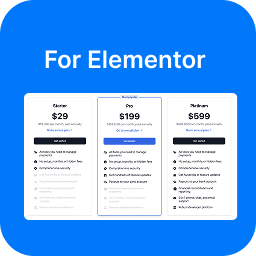
Beautiful, conversion-ready pricing tables for Elementor — with a monthly/yearly billing toggle, rich feature lists, and deep design customization.

By VillaTheme
Extra options for WooCommerce products, displaying visual customization and settings directly on the customization page.

By Leetoo
Transform your WordPress theme into a platform for publishing your webcomics.
A lightweight social sharing plugin for showing social networks when users highlight text, share images, headlines, or use Click to Share.

By donaldmvaldez
Keep standard blog posts clean and fast: block Elementor on posts, then give editors native buttons and accordions instead.
Turn any PDF or set of images into a page-turning flipbook with a block editor block. Two-page spreads on desktop, one page on phones.
CHOOSE WHAT YOUR WEBSITE NEEDS
Start with the task you need to solve. Compare features, WordPress and PHP requirements, update history and the author’s documentation. Test changes on a private copy and avoid adding several plugins for the same job.
This independent directory displays plugin information on WebFulHost and links to the official source. Packages are not mirrored or installed here. A plugin can include paid extensions or services with separate terms from its author.




