

Commandify, a smart command palette for WordPress & WooCommerce. Instantly navigate, search, and manage admin tasks with fast keyboard commands.
★ 5.0/5 (2)40+ active installations
- Version
- 1.1.0
- WordPress
- 6.2+
- PHP
- 7.4+
- Updated
- 27 Oct 2026
WORDPRESS RESOURCES
Explore public plugin information from the official WordPress.org directory. Compare what a plugin does, its requirements and update history before adding it to your website.
Explore WordPress hosting →2,956 matching plugins reported by WordPress.org · Page 6 of 50
Source: WordPress.org
Data refreshed 22 Nov 2026 12:03 UTC
Commandify, a smart command palette for WordPress & WooCommerce. Instantly navigate, search, and manage admin tasks with fast keyboard commands.

By Automattic
Assign multiple bylines to posts, pages, and custom post types with a search-as-you-type input box.

By wpbingo
AI-powered WooCommerce product management. Bulk edit prices, stock, sales, categories, and products with natural language and rollback.
Unlimited automatic image optimization for WordPress. Compress images, convert to WebP, and improve site speed without losing image quality.
A true Web Application Firewall to protect and secure WordPress.
Real-time activity log and audit log for WordPress. Track every user action — logins, edits, plugin & settings changes — and get alerts.

By Fernando Tellado
Monitor 60+ AI crawlers, control access via robots.txt, and boost your AI visibility with llms.txt, JSON-LD, Markdown for Agents & Visibility Score.
By webdevstudios
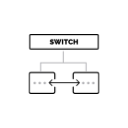
Switch the taxonomy for all terms or only child terms of a specified parent term.

By Graffino
Custom Post Type Maker lets you create Custom Post Types and custom Taxonomies in a user friendly way.

By WBW Plugins
Free WooCommerce filter: fast on 100,000 products, any theme or builder, right on phones, found by Google and AI answers. One click setup.

By Lester Chan
Manages your WordPress database.

By overclokk
Ask the cookie consent by category and block third party scripts, videos and maps until the consent. With a consent log and Google Consent Mode v2.
CHOOSE WHAT YOUR WEBSITE NEEDS
Start with the task you need to solve. Compare features, WordPress and PHP requirements, update history and the author’s documentation. Test changes on a private copy and avoid adding several plugins for the same job.
This independent directory displays plugin information on WebFulHost and links to the official source. Packages are not mirrored or installed here. A plugin can include paid extensions or services with separate terms from its author.


