

wp-forecast
By tuxlog
wp-forecast is a highly customizable plugin for wordpress, showing weather-data from open-meteo.com and/or openweathermap.com.
★ 4.3/5 (24)4,000+ active installations
- Version
- 10.0
- WordPress
- 6.0+
- Updated
- 17 Aug 2026
WORDPRESS RESOURCES
Explore public plugin information from the official WordPress.org directory. Compare what a plugin does, its requirements and update history before adding it to your website.
Explore WordPress hosting →10,000 matching plugins reported by WordPress.org · Page 6 of 50
Source: WordPress.org
Data refreshed 28 Nov 2026 02:32 UTC
By tuxlog
wp-forecast is a highly customizable plugin for wordpress, showing weather-data from open-meteo.com and/or openweathermap.com.

By Elementor
The Elementor Website Builder has it all: drag and drop page builder, Atomic Editor, pixel perfect design, global and reusable style systems, mobile r …
By Roland Murg
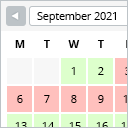
This booking calendar shows when something is booked or available. Use it to show when your holiday home is available for rent, for example.

By Konstantin Obenland
Adds a sortable "Last Login" column to the Users screen — spot inactive accounts and see who's actually using your site.

By VerifyPass
Easily offer exclusive discounts to communities like the Military, First Responders, Students, Teachers and more. Setup in minutes.

By Aleksandr Guidrevitch
2x-5x improvement in your Page Speed score. A completely new way of optimizing your page speed.

By tmeister
Extends the WP REST API using JSON Web Tokens Authentication as an authentication method.
The friendly way to build real Mapbox, MapLibre, or Google maps in WordPress — store locators, GeoJSON data, custom popups, and more.

By Jeroen Sormani
Working with multiple persons on a website? Want to make notes? You can do just that with WP Dashboard Notes. Create beautiful notes with a nice user …

By Wow-Company
Add code snippets, header & footer scripts and custom HTML, CSS, JS & PHP — site-wide or by shortcode and block, no theme edits.

By digitalapps
Install a Google tag and view useful Google Analytics 4 reports inside WordPress with a guided, read-only connection.

By John James Jacoby
Allow registered users to upload and select their own avatars.
CHOOSE WHAT YOUR WEBSITE NEEDS
Start with the task you need to solve. Compare features, WordPress and PHP requirements, update history and the author’s documentation. Test changes on a private copy and avoid adding several plugins for the same job.
This independent directory displays plugin information on WebFulHost and links to the official source. Packages are not mirrored or installed here. A plugin can include paid extensions or services with separate terms from its author.
