

Add Parallax scrolling effects in any section of your website.
★ 4.3/5 (6)3,000+ active installations
- Version
- 2.4.2
- WordPress
- 6.5+
- PHP
- 7.1+
- Updated
- 18 Nov 2026
WORDPRESS RESOURCES
Explore public plugin information from the official WordPress.org directory. Compare what a plugin does, its requirements and update history before adding it to your website.
Explore WordPress hosting →41 matching plugins reported by WordPress.org · Page 1 of 4
Source: WordPress.org
Data refreshed 18 Nov 2026 21:37 UTC
Add Parallax scrolling effects in any section of your website.

By ShapedPlugin LLC
Image carousel, slider, and slideshow blocks with AI and ready patterns. Photo gallery, video slider, post and WooCommerce product carousels.

By Unlimited Elements
Elementor all-in-one addons pack with the best widgets for Elementor, offering 100+ free widgets, templates, and tools to create stunning websites!
Responsive photo and image galleries, carousels and sliders with masonry, albums and lightbox. Creation wizard, Gutenberg block, Elementor widget.
Build responsive sliders and carousels in the block editor - image, video, post, testimonial, logo and before-after slider blocks.
Create responsive image and content carousels in Gutenberg. Captions, autoplay, effects, navigation – build elegant sliders with no code.
Responsive WordPress slider plugin. Create responsive image sliders, carousel sliders, video sliders, and slideshows with 12 free layouts.
Power up your website with the Content Slider Block plugin. Easily create professional sliders using our new block editor integration!

By Noruzzaman
Logo Carousel, Image Slider & Testimonial blocks for Gutenberg. 5 transition effects, responsive design & full customization!
By codersuraz
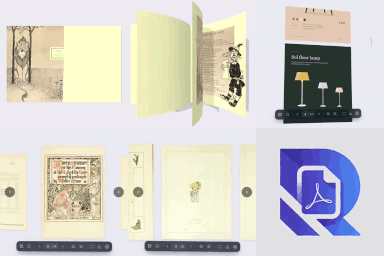
Embed PDFs as a realistic 3D flipbook, page slider or scroll reader. A fast PDF viewer and PDF library for Gutenberg, Elementor and shortcodes.

By akaundal10
A modern, high-performance 3D Coverflow perspective image slider plugin for WordPress with live admin customization and smooth touch controls.
Photo gallery plugin that writes your image SEO with a built-in AI. Create responsive image galleries in minutes.
CHOOSE WHAT YOUR WEBSITE NEEDS
Start with the task you need to solve. Compare features, WordPress and PHP requirements, update history and the author’s documentation. Test changes on a private copy and avoid adding several plugins for the same job.
This independent directory displays plugin information on WebFulHost and links to the official source. Packages are not mirrored or installed here. A plugin can include paid extensions or services with separate terms from its author.





