

Genesis Widget Column Classes
By Jory Hogeveen
Adds Genesis column classes to widgets.
★ 4.5/5 (8)5,000+ active installations
- Version
- 1.3.1
- WordPress
- 3.1+
- PHP
- 5.2.4+
- Updated
- 19 Oct 2026
WORDPRESS RESOURCES
Explore public plugin information from the official WordPress.org directory. Compare what a plugin does, its requirements and update history before adding it to your website.
Explore WordPress hosting →5,152 matching plugins reported by WordPress.org · Page 1 of 50
Source: WordPress.org
Data refreshed 17 Nov 2026 20:27 UTC
By Jory Hogeveen
Adds Genesis column classes to widgets.

By Marcus (aka @msykes)
Events calendar and booking system: bookings, reservations, appointments, scheduling, event registration, tickets and recurring events.

By WooCommerce
Accept debit and credit cards in 135+ currencies, many local methods like Alipay, ACH, and SEPA, and express checkout with Apple Pay and Google Pay.
By Jory Hogeveen
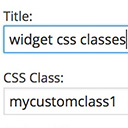
Add custom classes and ids plus first, last, even, odd, and numbered classes to your widgets.

By Elementor
The Elementor Website Builder has it all: drag and drop page builder, Atomic Editor, pixel perfect design, global and reusable style systems, mobile r …
Duplicate post, post order, image resize, email via SMTP, admin menu editor, custom css / code, disable gutenberg and much more in a single plugin.
Automatically add a table of contents to your posts and pages, with smooth scrolling, anchor links, and simple styling options.

Powerful user profile plugin to create front-end user registration forms, login & user profile forms. Includes user role editor & content restriction.
Events calendar plugin for event registration, event tickets, bookings, RSVP, recurring and virtual events with WooCommerce and Zoom (AI-powered).
Boost PageSpeed, SEO, and Core Web Vitals with full page caching, JS/CSS optimization, media optimization, and Cloudflare CDN.
Create Google Meet meetings from WordPress, each with a Google Calendar event and a meeting page your visitors join from.

By Andrew Ozz
Extends and enhances the block editor (Gutenberg) and the classic editor (TinyMCE).
CHOOSE WHAT YOUR WEBSITE NEEDS
Start with the task you need to solve. Compare features, WordPress and PHP requirements, update history and the author’s documentation. Test changes on a private copy and avoid adding several plugins for the same job.
This independent directory displays plugin information on WebFulHost and links to the official source. Packages are not mirrored or installed here. A plugin can include paid extensions or services with separate terms from its author.




