

WPC AJAX Search for WooCommerce
By WPClever
WPC AJAX Search is an interaction search popup for WooCommerce.
★ 5.0/5 (2)1,000+ active installations
- Version
- 2.6.1
- WordPress
- 5.9+
- Updated
- 11 Nov 2026
WORDPRESS RESOURCES
Explore public plugin information from the official WordPress.org directory. Compare what a plugin does, its requirements and update history before adding it to your website.
Explore WordPress hosting →10,000 matching plugins reported by WordPress.org · Page 12 of 50
Source: WordPress.org
Data refreshed 26 Nov 2026 01:42 UTC
By WPClever
WPC AJAX Search is an interaction search popup for WooCommerce.
By Pektsekye
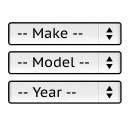
It will find products for selected make and model.
Build photo galleries in a visual editor. Free MCP support lets Claude, ChatGPT or Cursor create galleries and write your image alt text.
WP Travel is the optimal choice among the WordPress Travel Booking Plugin and Tour Operator to Create Travel and Trekking Websites Without Coding!

By jgwhite33
Display TripAdvisor reviews in a fast WordPress slider or grid with badges and guest photos. Multi-location support; stored locally on your server.
Advanced WooCommerce product search and filter plugin. Customizable search bar, live search suggestions and auto-generated filters for search results.

By Wow-Company
Add code snippets, header & footer scripts and custom HTML, CSS, JS & PHP — site-wide or by shortcode and block, no theme edits.

By Frank Goossens
High performance YouTube video, playlist and audio-only embeds which don't slow down your blog and offer optimal accessibility.
The friendly way to build real Mapbox, MapLibre, or Google maps in WordPress — store locators, GeoJSON data, custom popups, and more.

By Northern Beaches Websites
With WP Custom Admin Interface you can easily customise the WordPress admin and login interfaces.

By Andrea Ferro
Best all-in-one WordPress security plugin, uses HTTP & HSTS response headers to avoid vulnerabilities: XSS, injection, clickjacking. Force HTTP/HTTPS.

By WebToffee
Easily backup, restore, or migrate. Supports one-click backup and scheduled backup. Backup selected content to Amazon S3, Google Drive, FTP/SFTP, etc.
CHOOSE WHAT YOUR WEBSITE NEEDS
Start with the task you need to solve. Compare features, WordPress and PHP requirements, update history and the author’s documentation. Test changes on a private copy and avoid adding several plugins for the same job.
This independent directory displays plugin information on WebFulHost and links to the official source. Packages are not mirrored or installed here. A plugin can include paid extensions or services with separate terms from its author.



