

Easy to use advanced Parallax, Image and Video backgrounds block plugin with parallax and video support.
★ 4.8/5 (44)30,000+ active installations
- Version
- 1.13.1
- WordPress
- 6.2+
- PHP
- 7.4+
- Updated
- 17 Nov 2026
WORDPRESS RESOURCES
Explore public plugin information from the official WordPress.org directory. Compare what a plugin does, its requirements and update history before adding it to your website.
Explore WordPress hosting →7,913 matching plugins reported by WordPress.org · Page 30 of 50
Source: WordPress.org
Data refreshed 20 Nov 2026 17:59 UTC
Easy to use advanced Parallax, Image and Video backgrounds block plugin with parallax and video support.

EmbedPress lets you embed videos, pages, social feeds, embed PDF 3D flipbooks & other content on WordPress without coding & enhance storytelling.

By Jan Zeman
Embed shared Google Photos and Apple iCloud albums directly from the source, without uploading copies to WordPress.

By Sharabindu Bakshi
Build QR codes with a Gutenberg blocks, shortcodes, and auto-generation. No external APIs or dependencies.

By Brainstorm Force
The Read Meter plugin displays the estimated reading time for blog posts along with a progress bar.

By shohei.tanaka
Essential Japanese localization toolkit for WooCommerce - adds address formats, payment methods, delivery scheduling, and legal compliance.
By SandyRig
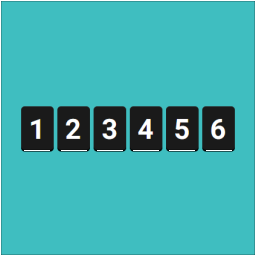
Display unique visitor or page-view counts anywhere on your site using widgets or shortcodes — Simple, very lightweight and no third-party code.

By Nathan Rice
This plugin creates a new Genesis settings page that allows you to insert code (HTML, Shortcodes, and PHP), and attach it to any of the 50+ action hoo …

Registration forms, a frontend login form, user profiles and a member directory for WordPress. Add Stripe payments and content restriction.

By Elliot Sowersby / RelyWP
Add Google reCAPTCHA to your WooCommerce Checkout, Login, and Registration Forms. 100% free!

By prismtechstudios
Add inline footnotes to your posts. On desktop, the footnotes will appear as tooltips. On mobile, the footnote will expand beneath the text.

By ShapedPlugin LLC
Display product categories in responsive sliders or grids to showcase them effectively on your WooCommerce store and improve shoppers' navigation.
CHOOSE WHAT YOUR WEBSITE NEEDS
Start with the task you need to solve. Compare features, WordPress and PHP requirements, update history and the author’s documentation. Test changes on a private copy and avoid adding several plugins for the same job.
This independent directory displays plugin information on WebFulHost and links to the official source. Packages are not mirrored or installed here. A plugin can include paid extensions or services with separate terms from its author.